Your trip planning
companion app
Plan multi-destination trips, build day-by-day itineraries, and discover places with Google Maps — all in one beautifully designed app.
Plan like you're
already there
The hardest part of trip planning? Searching for places in a city you've never been to. With Google Maps built right in, you can explore neighborhoods, find hidden gems, and save spots — all as if you're walking down the street.
Search anywhere
Type any city, and explore it like a local.
Save to your trip
Found a cafe? Add it to your itinerary instantly.
No more guessing
See real photos, reviews, and hours before you go.
Inside the App
See what you can do
Real screenshots from the Velora Hub app.
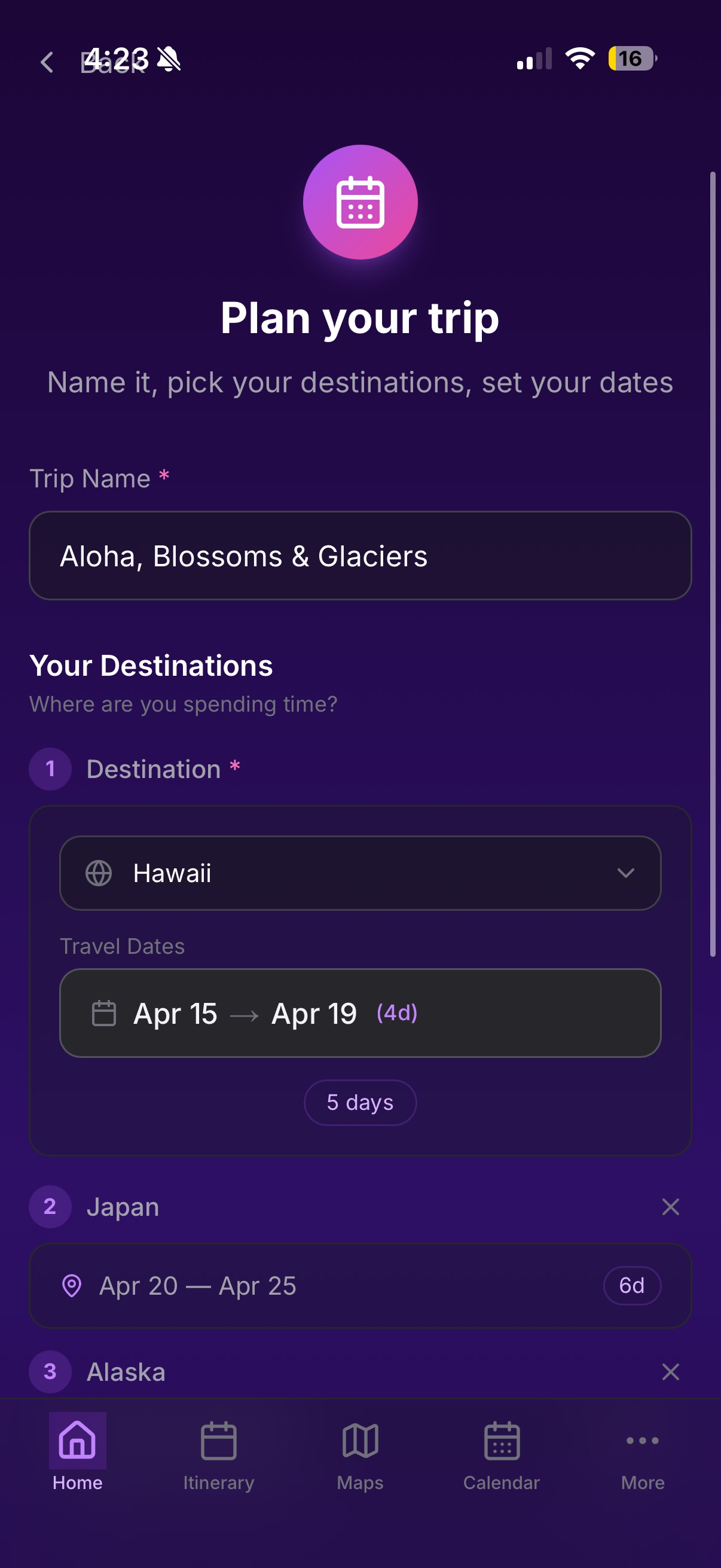
Hawaii → Japan → Alaska
One trip. Many destinations.
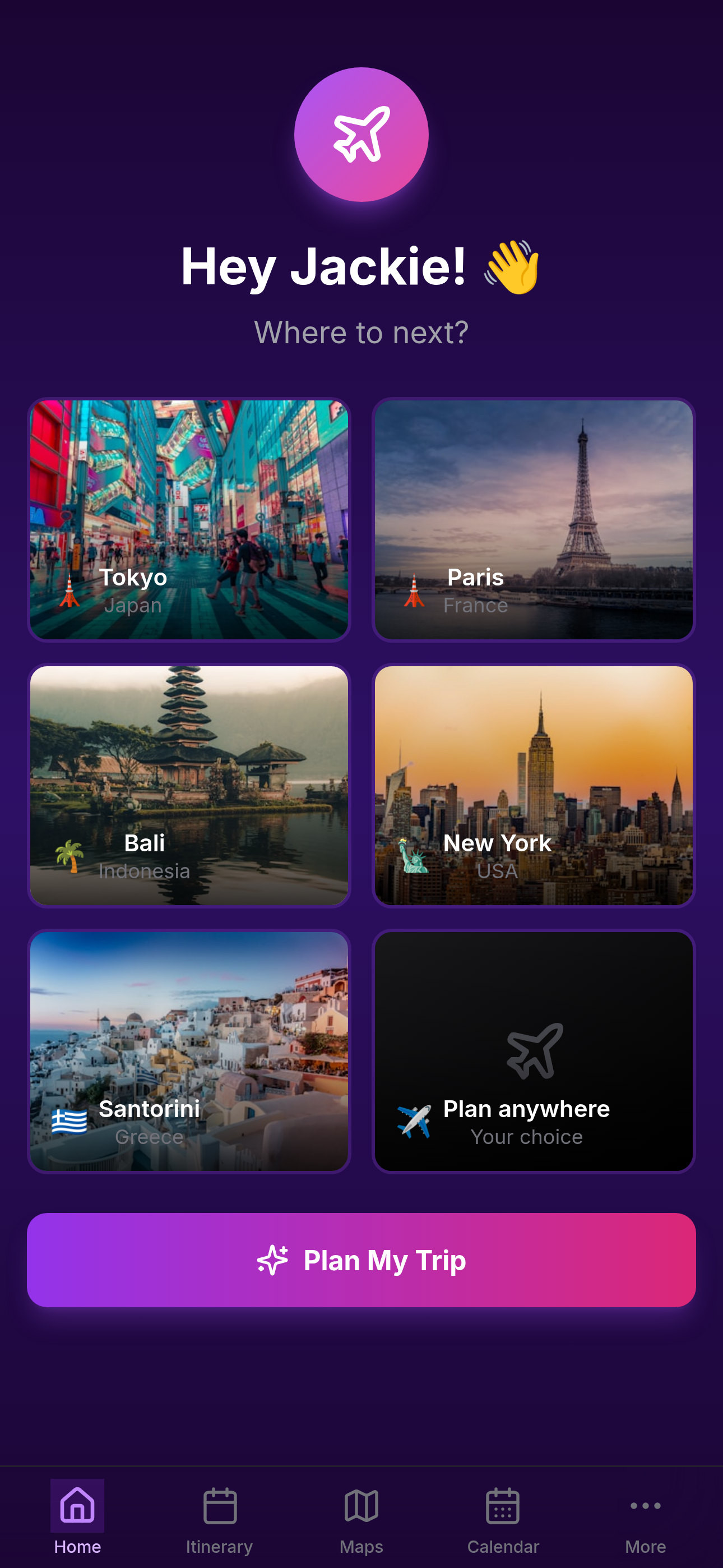
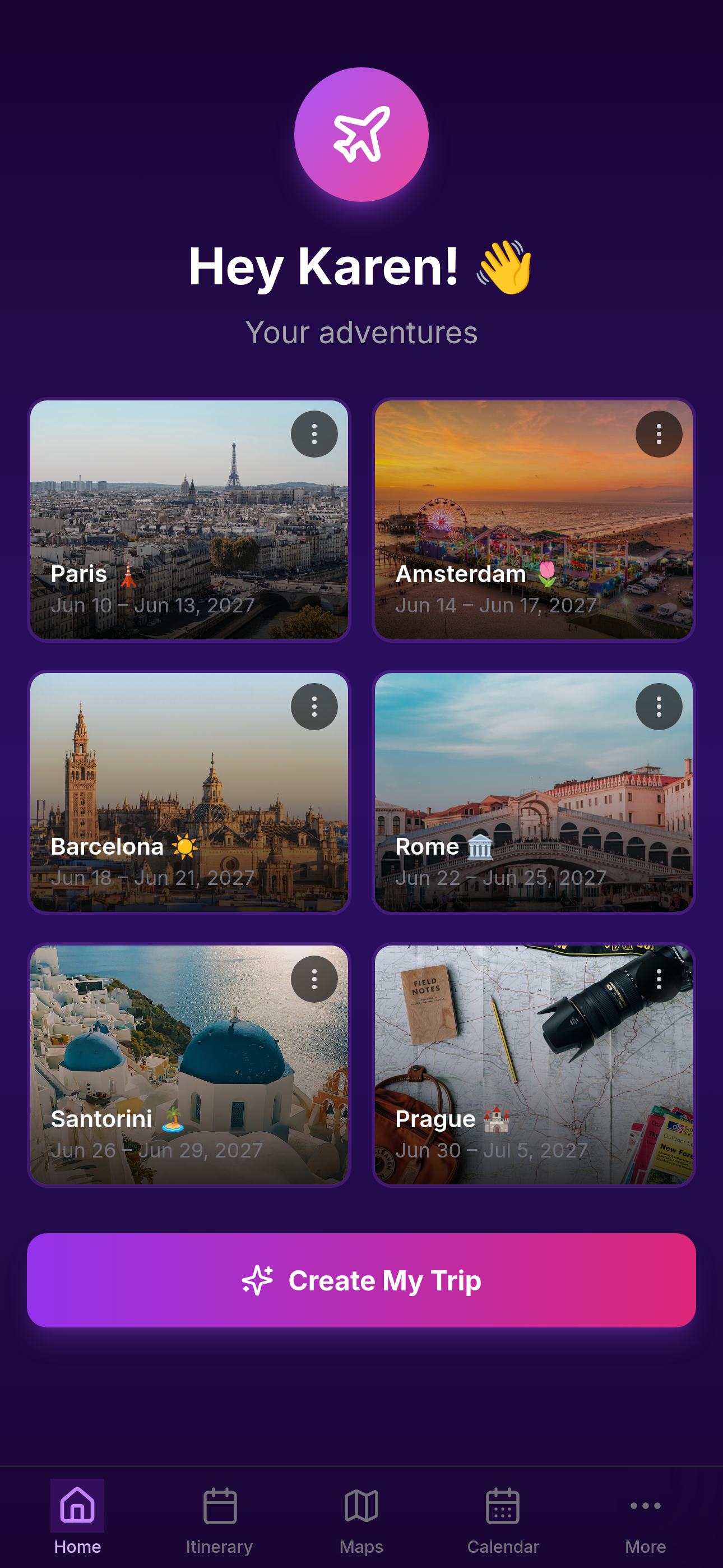
Real trips aren't single stops. Velora Hub gives you a powerful, flexible system: create a Trip, add Destinations, organize each into Days, and fill them with Activities — all with maps built in.
Your entire journey
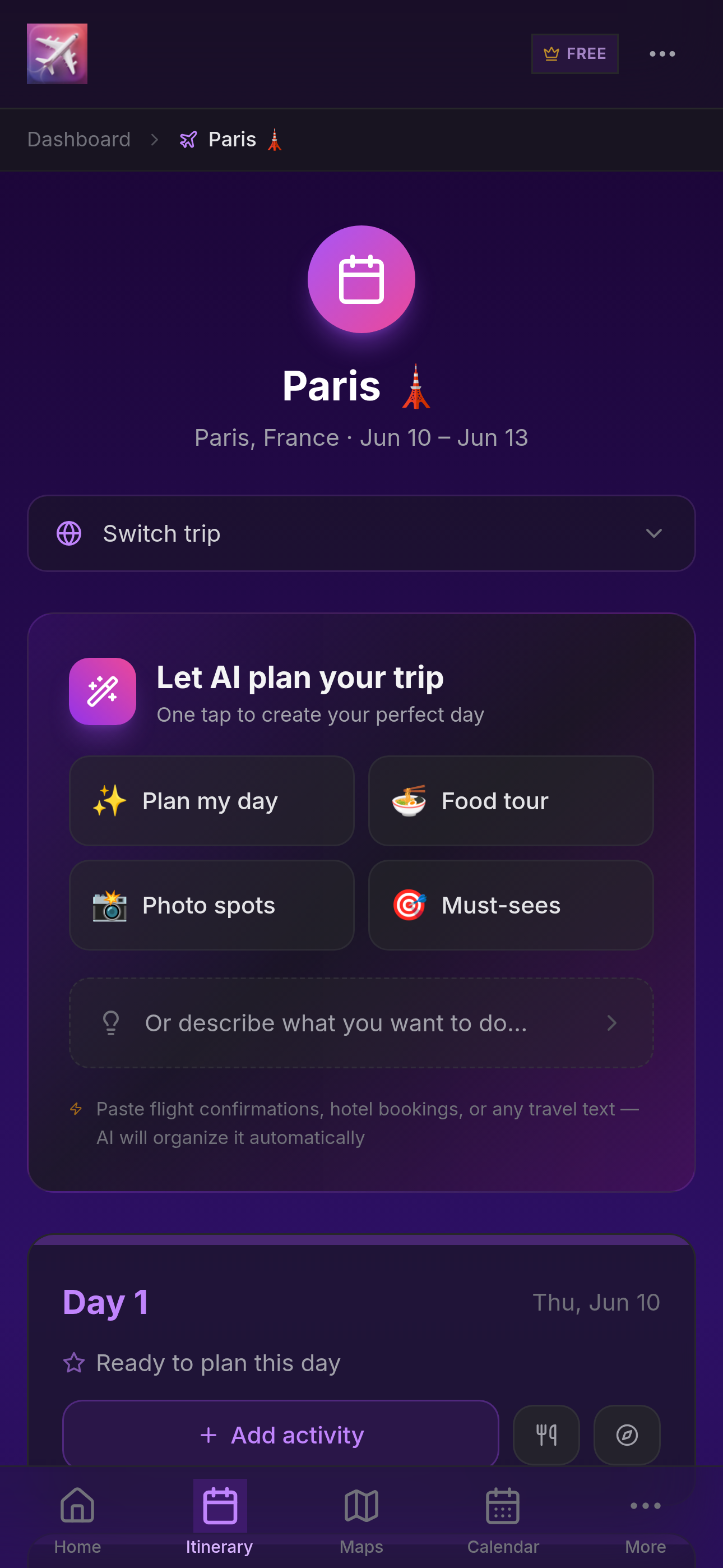
in one beautiful view.
See all your destinations, dates, and durations at a glance. Know exactly where you'll be and when.
Plan anywhere,
from anywhere.
Browse destinations, discover places, and add them straight to your trip — all powered by Google Maps.
New Feature
Wishlist & Group Ratings
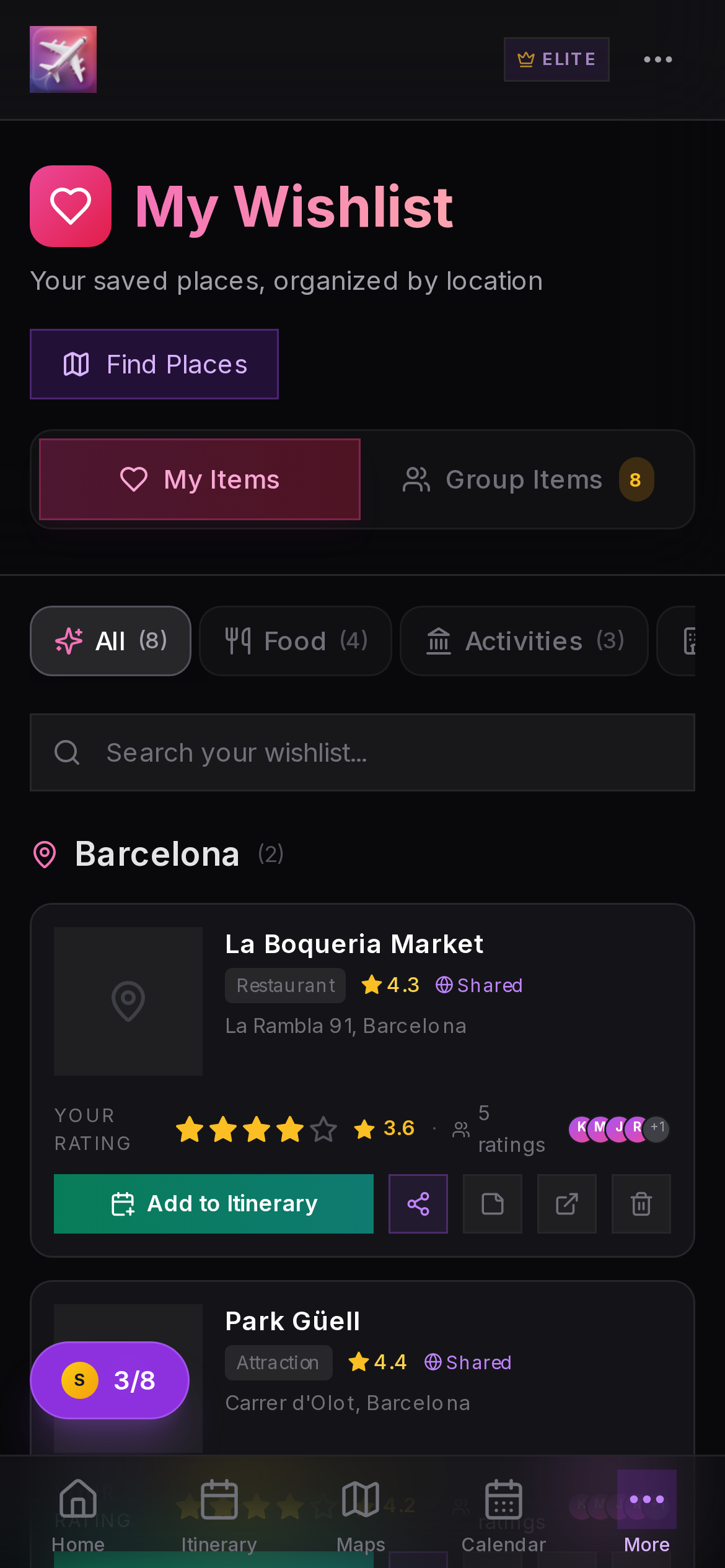
Save places you want to visit, share them with your travel group, and vote together with star ratings.
Your group decides
together, not in a group chat.
No more endless debates about where to eat. Everyone saves places from Google Maps, rates them with stars, and the group favorites rise to the top.
Roadmap
Where we're headed
Building step by step with real feedback from real travelers.
Private Testing
Invite-only beta with core trip planning, itineraries, and Google Maps integration.
Web App Launch
Open access via web — plan trips from any browser, share with your travel group.
Feature Expansion
Collaborative planning, budget tracking, photo journals, and smart recommendations.
App Store Launch
Native iOS and Android apps — your trips in your pocket, online and offline.
Get early access
We're opening access in small batches. Drop your name and email — we'll let you know when your spot is ready.
No spam. Just your spot in line.
Install Velora Hub
Add Velora Hub to your home screen for the best experience — works like a native app, launches instantly.
iPhone (Safari)
- 1Tap the Share button at the bottom
- 2Scroll down and tap "Add to Home Screen"
- 3Tap "Add" in the top right
- 4Open from your home screen — you're in!
iPhone (Chrome)
Best experience: Open this page in Safari for full app functionality.
- 1Copy this URL
- 2Open Safari and paste the URL
- 3Follow the Safari instructions above
Android (Chrome)
- 1Tap the ⋮ menu in Chrome
- 2Tap "Add to Home screen"
- 3Tap "Add" to confirm
- 4Open from your home screen!
Desktop / Laptop
Your deviceMobile-first: Velora Hub is designed for phones. Visit this page on your iPhone or Android for the best experience.
Scan the QR code below or open velorahub.app on your phone.
After installing, log in with your invited account to start planning.